SecondBrainUniBS
SecondBrain is a notes archive that builds itself and answers questions. Lecture slides from the Computer Engineering master's degree at the University of Brescia are read by an artificial intelligence, which turns them into tidy, interlinked notes you can consult like a chat.
The idea
Anyone who studies knows the problem: at the end of the semester there are hundreds of slides scattered across dozens of folders. Finding a topic means opening one PDF after another, and the connections between courses stay in the student's head.
SecondBrain starts from a simple question: what if notes wrote and organised themselves? Not a summary to reread, but a real "second brain": every concept has its own page, every page says which slide it comes from, and related concepts are linked, even when they belong to different courses.
So the work is split cleanly: I choose the material and ask the questions, the artificial intelligence acts as librarian. It reads, summarises, files, updates the indexes and keeps everything in order.
How it works
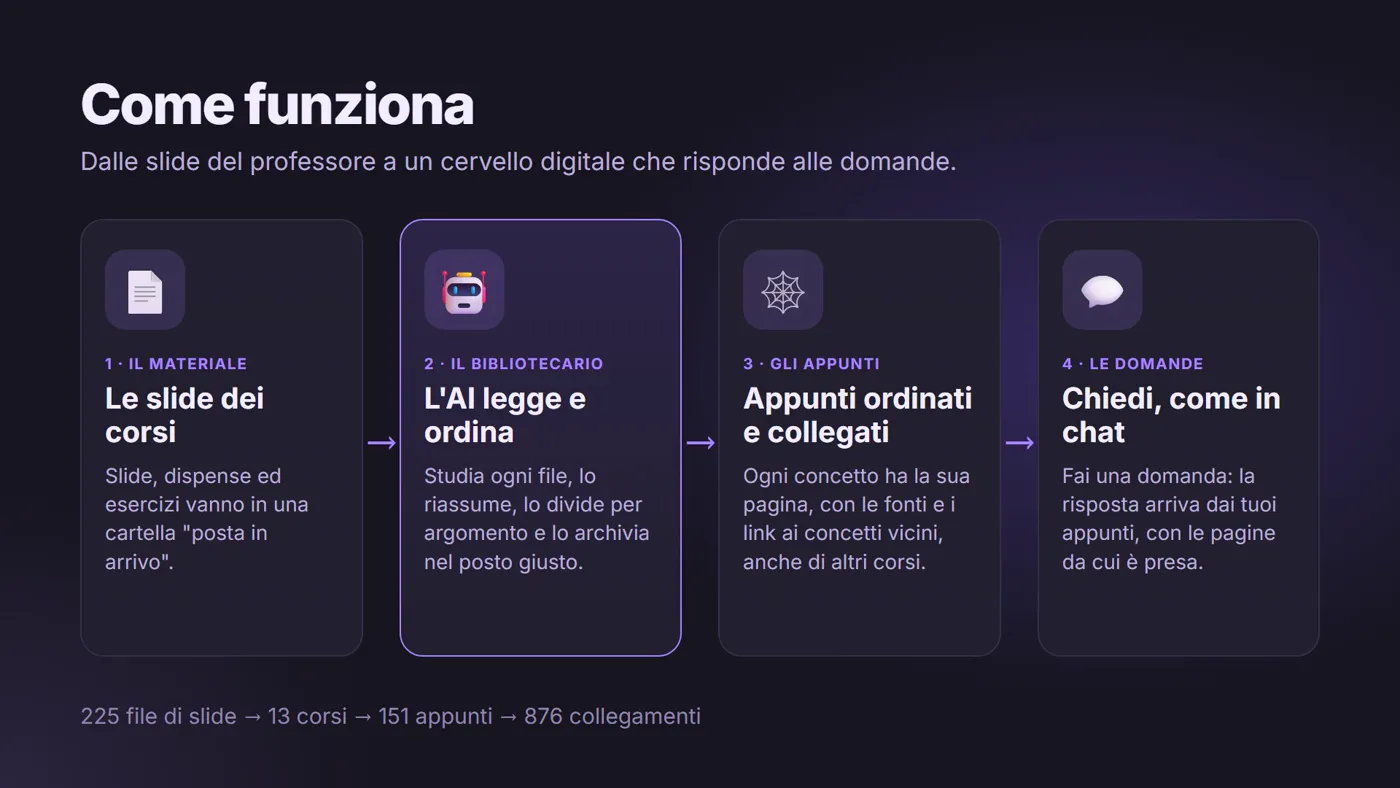
1. The material. A course's slides, handouts and exercises go into a folder that acts as an "inbox".
2. The librarian. A single command, and the artificial intelligence reads each file in full, one at a time. It works out which course it belongs to, splits it by topic and writes one page per concept. If the topic already exists, it doesn't create a duplicate: it enriches the existing page. Finally it marks the file as "read".
3. The notes. Every page follows the same structure: a short introduction, the key points, the explanation, links to related concepts and the sources it draws on. They are read with Obsidian, a free notebook app.
4. The questions. You open the folder with an AI assistant and write to it as in a chat. The answer comes from the notes and cites the pages it is taken from, so it can always be checked.
A brain you can see
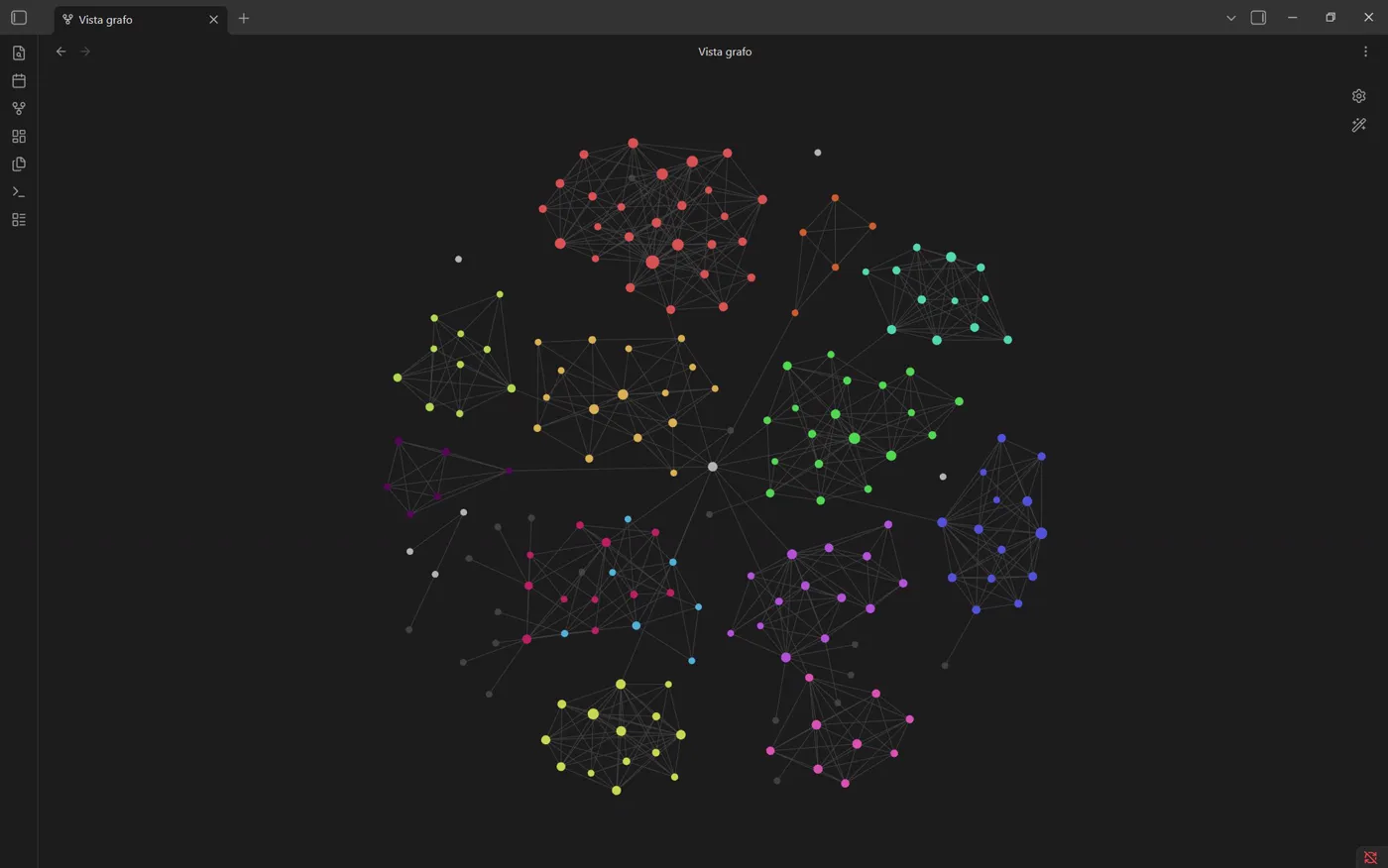
This is the map of the whole SecondBrain. Each dot is a page of notes, each line is a link, and each colour is a course. The densest clusters are the topics of a single course. The lines crossing between them are the bridges between different subjects: an idea from Scientific Computing that returns in Machine Learning, an algorithm that reappears in Optimisation.
The video below shows the map growing: one course after another, the brain fills up and connects.
Everything in its place
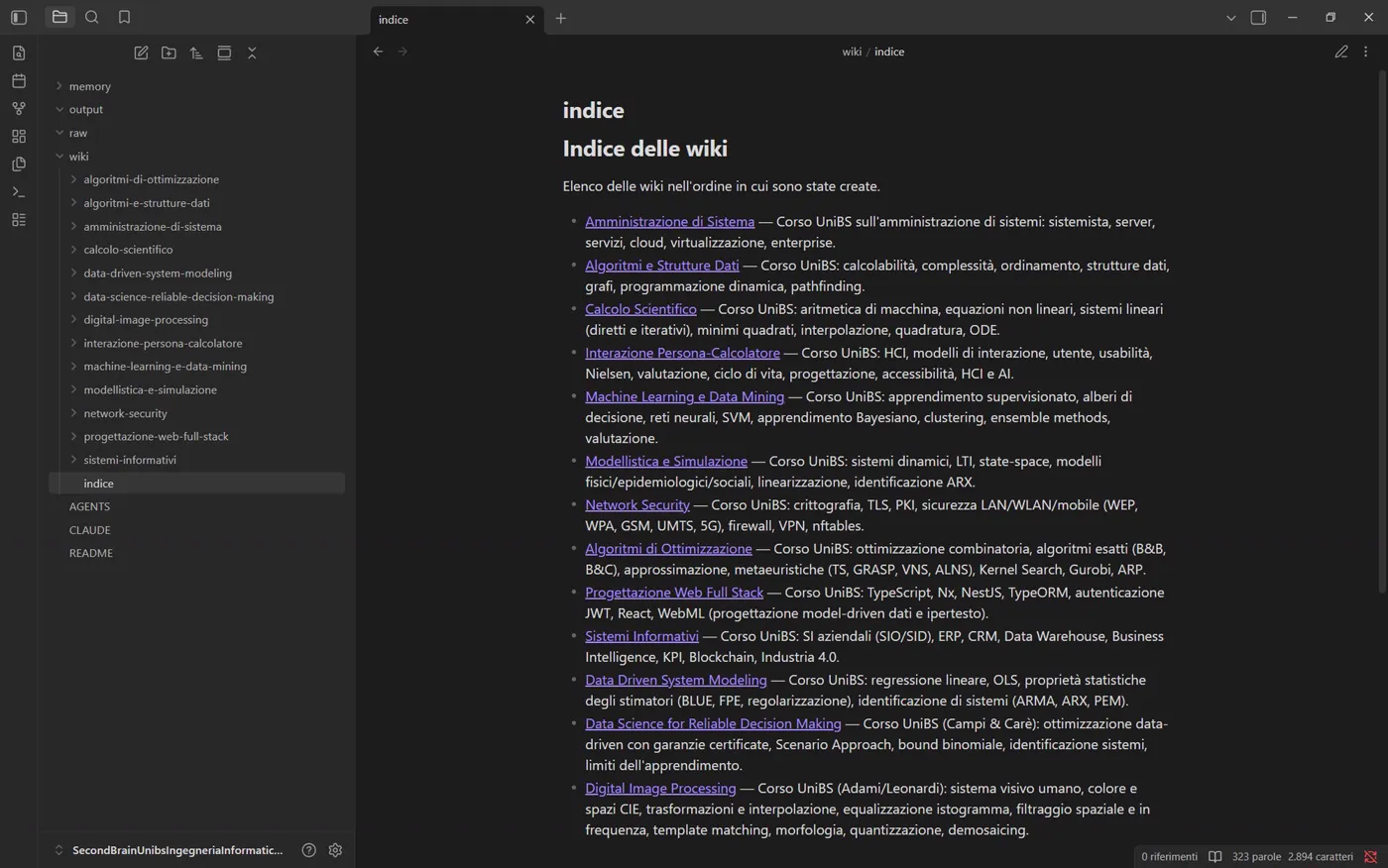
You enter through a main index listing all the courses, each described in one line.
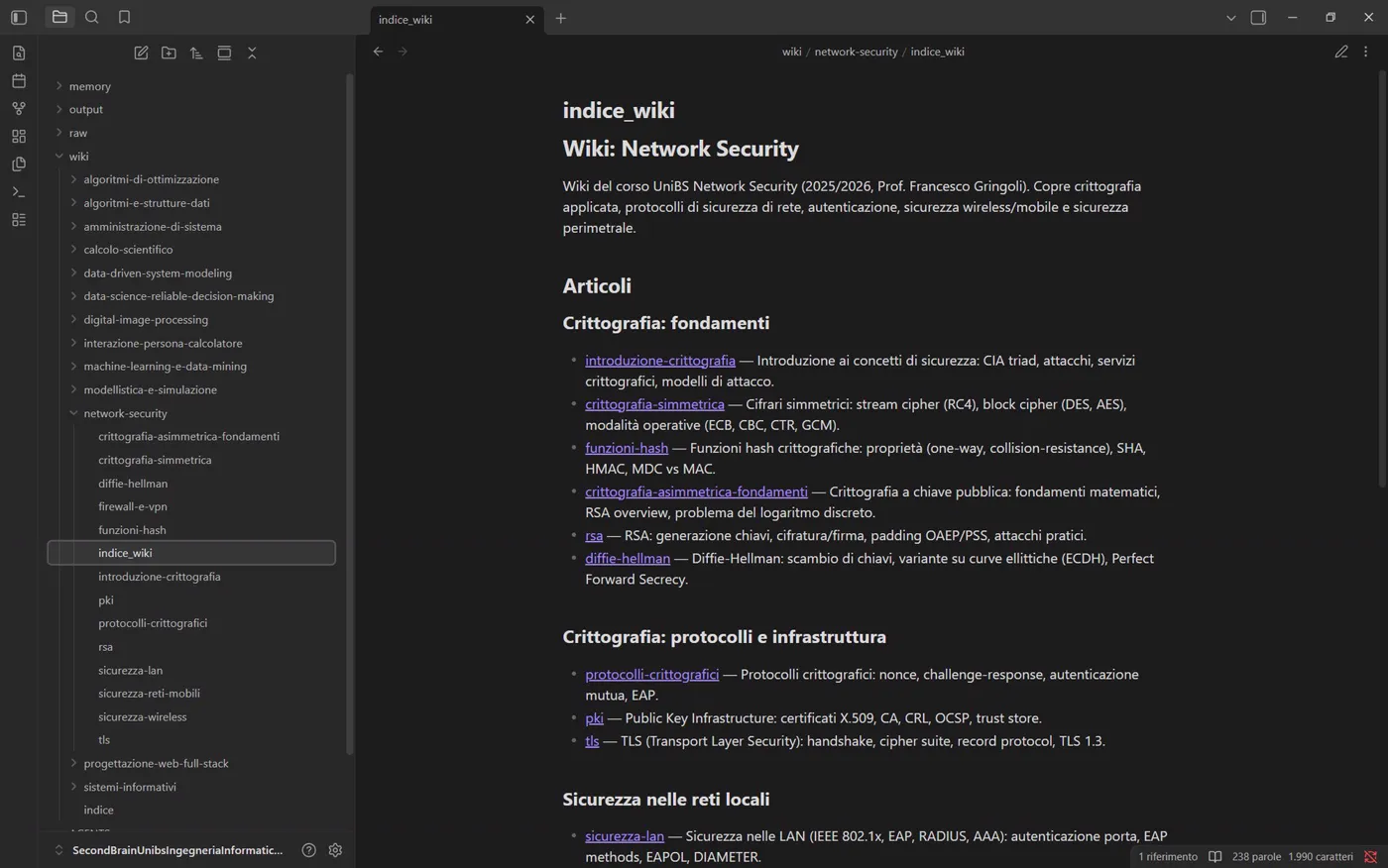
Each course in turn has an index listing its pages grouped by theme, with a sentence explaining what each one contains.
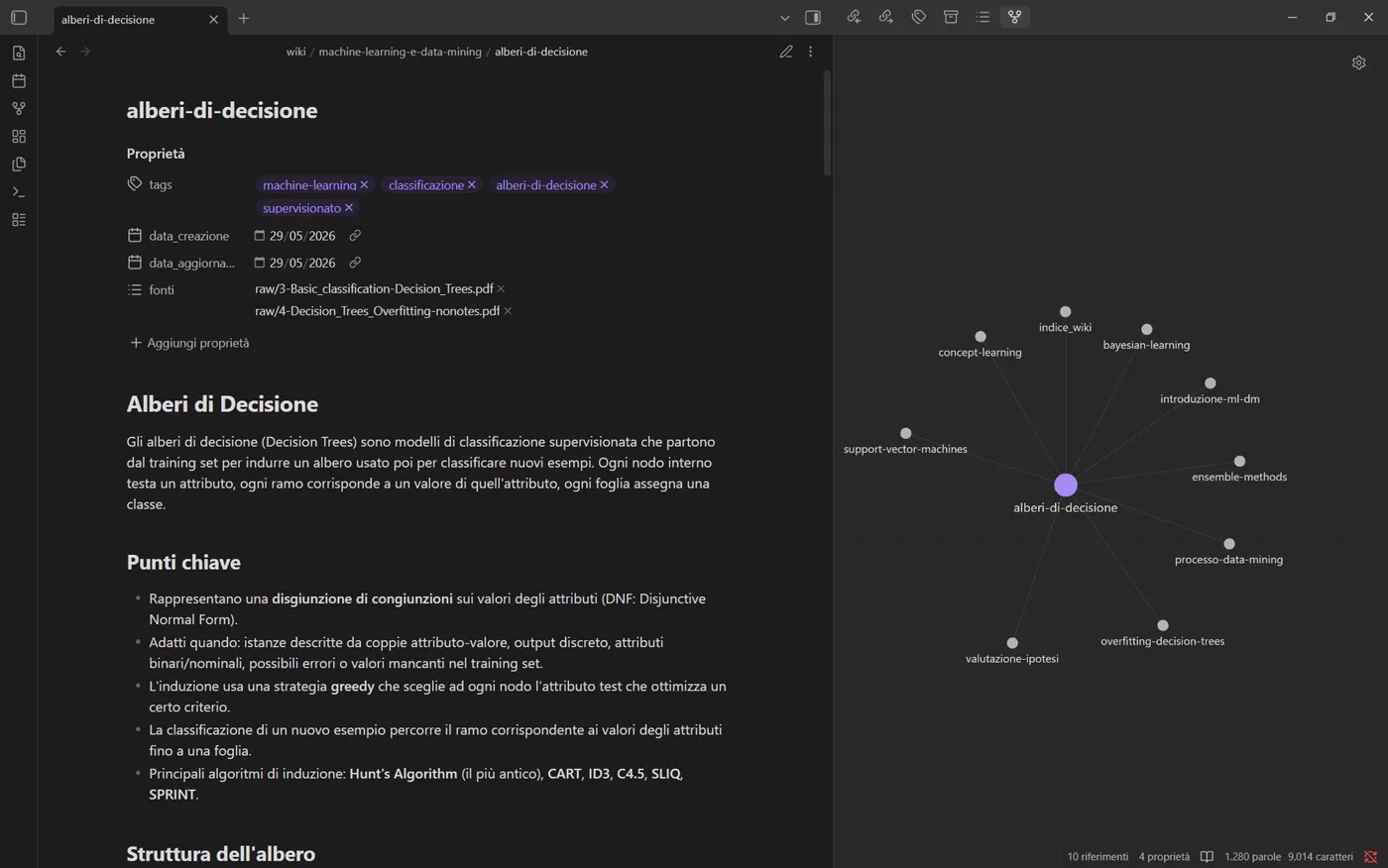
Each page explains a single concept. At the top are the slides it was written from, and on the right a small map of related concepts: one click, and you move to the neighbouring topic.
Connections between courses
Slides usually stay locked inside their own course. Not in the SecondBrain.
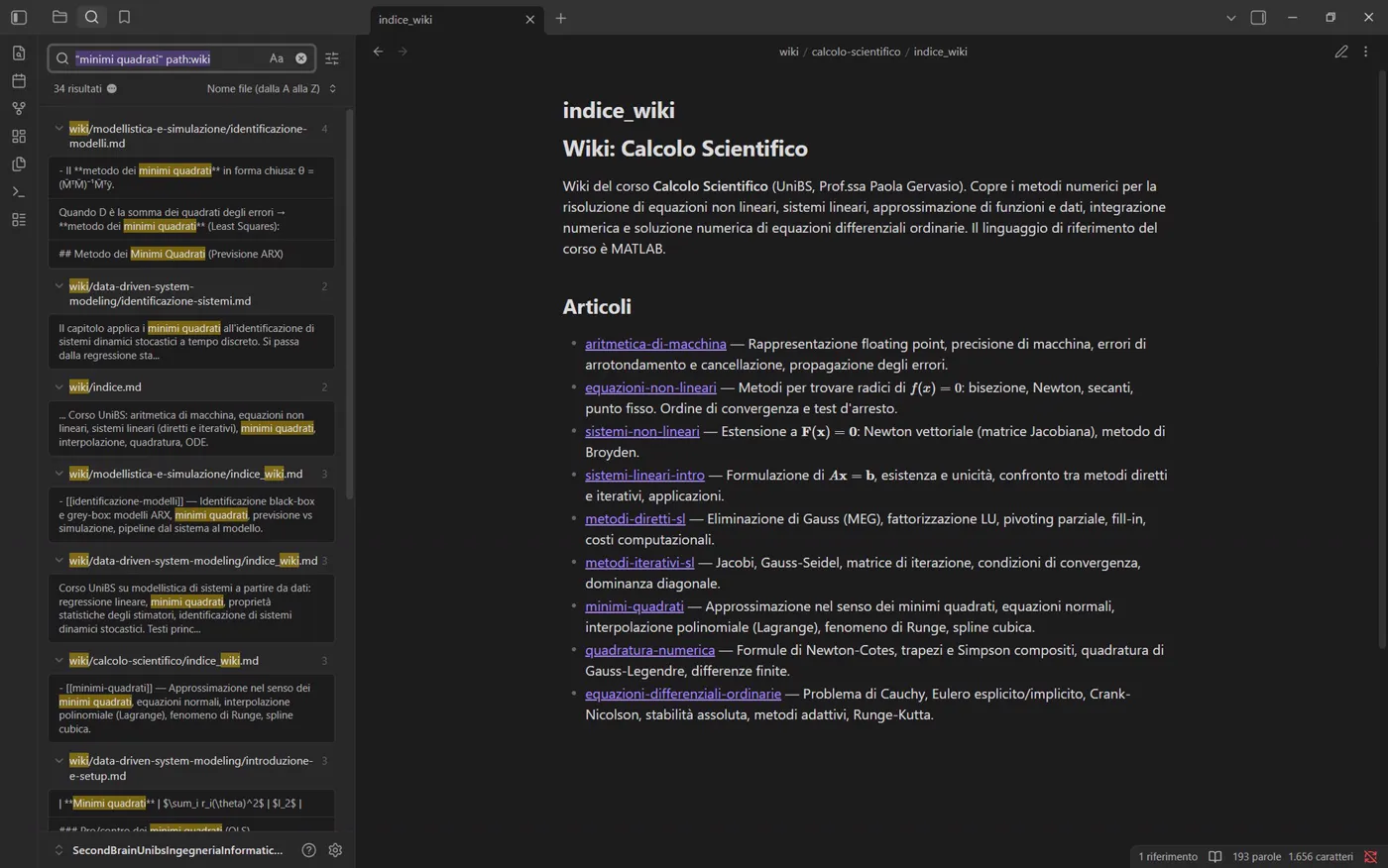
A search for "least squares" finds results in three different courses: Scientific Computing, Data Driven System Modeling and Modelling and Simulation. It's the same mathematical tool, seen each time from a different angle.
And that's exactly the question you can ask the assistant:
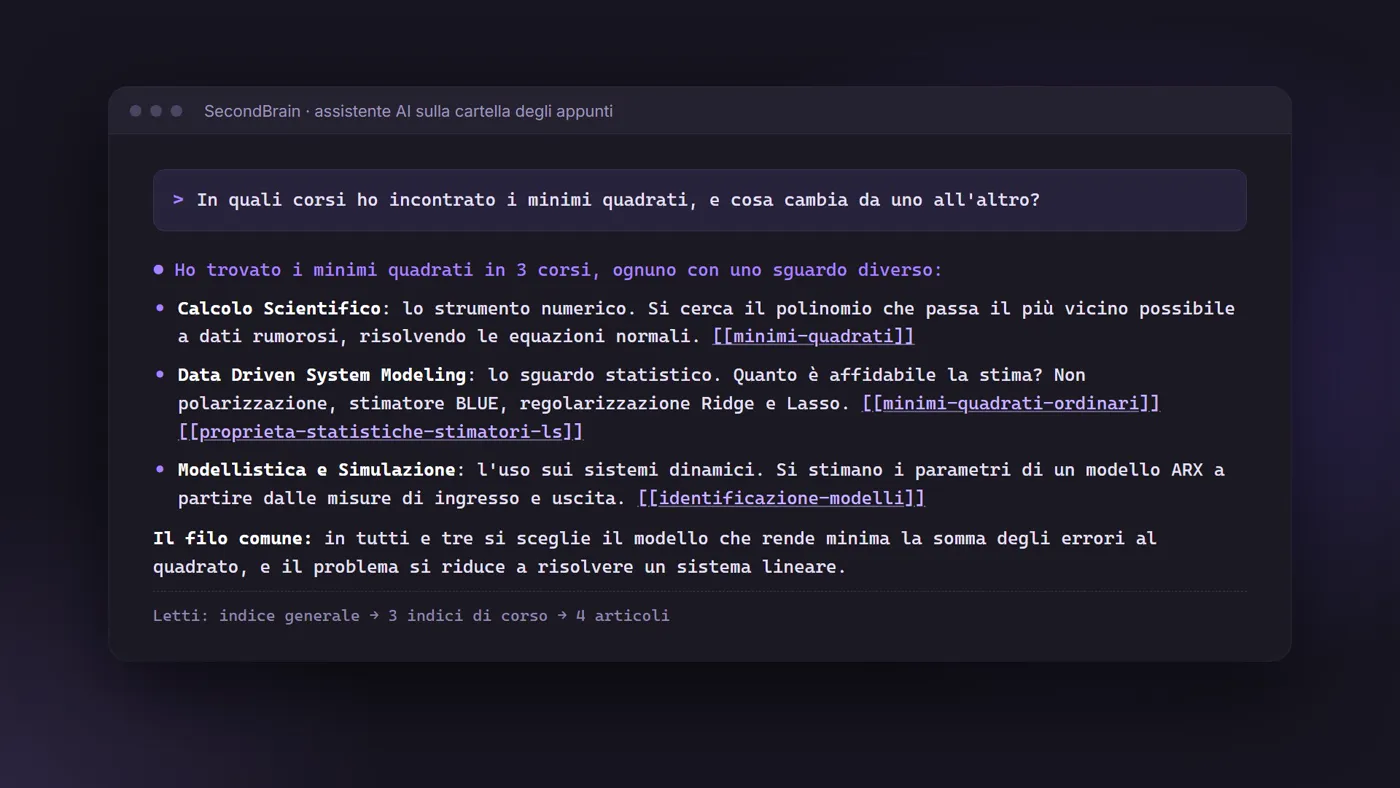
The answer compares the three courses, finds the common thread and points to the four pages it took its information from.
The librarian's rules
To keep the result reliable over time, the artificial intelligence follows precise rules, written once and for all:
- Every claim has a source. Every page states the slides it is drawn from.
- No duplicates. Before writing a new page it checks that a similar one doesn't already exist.
- Indexes always up to date. Every time it adds a page, it updates the course index and, if needed, the main one.
- One file at a time. Each file is read in full and filed before moving on to the next, so no detail is lost.
- Periodic check-ups. On request, it runs a "check-up" of the archive: it looks for broken links, orphan pages and contradictions between pages. It changes nothing without asking for confirmation.
The numbers
| Courses | 13 |
|---|---|
| Slides and handouts read | 225 files |
| Pages of notes | 151 |
| Links between pages | 876 |
| Words written | over 130,000 |
The courses covered: System Administration, Algorithms and Data Structures, Scientific Computing, Human-Computer Interaction, Machine Learning and Data Mining, Modelling and Simulation, Network Security, Optimisation Algorithms, Full Stack Web Application Design, Information Systems, Data Driven System Modeling, Data Science for Reliable Decision Making, Digital Image Processing.
The project at a glance
| What it is | An archive of university notes written and organised by an artificial intelligence, consulted like a chat |
|---|---|
| For whom | Computer Engineering master's students, and anyone who wants to build their own "second brain" |
| How to use it | Read the notes with Obsidian, ask questions with any AI assistant that can read a folder |
| Language | Italian |
| Cost | Free and open source |
| Built with | Claude (artificial intelligence) and Obsidian (notes app) |
| Author | Gabriele Fiorucci: concept, the librarian's rules, selection and curation of the material |
The notes and the instructions to recreate your own SecondBrain are online.
The project is constantly evolving and aims to cover all the Computer Engineering master's courses at the University of Brescia.
See the project: github.com/GabrieleFiorucci03/SecondBrain-Ingegneria-Informatica-Magistrale-UniBs ↗
Future developments
- New courses, as exams are added
- Quizzes and flashcards generated from the notes, to review before the exam
- Tailored study plans, built from each course's topics
- English version of the notes